Introduction
We are using AI in our day to day life from drafting an email to shopping online to increase productivity and make our lives easy. AI is opening a new world of opportunities and learnings for everybody. Salesforce offers the same capabilities and the platform is named Salesforce Einstein.
Salesforce Einstein has offered multiple features and I have been using these 2 features on a regular basis, that is
- Einstein Prediction Builder - It is a simple point-click wizard that allows you to make custom predictions on your non-encrypted Salesforce data.
- Einstein Next Best Action - It allows you to use rules-based and predictive models to provide intelligent recommendations and suggestions.
Here is the first of a series of blog posts and I would like to discuss one use case scenario to showcase how Salesforce Einstein can help to solve real-time problems with minimal or no code.
Use Case
Let's assume a client is switching to the Salesforce CRM platform to maintain their business and automate their work. Which would require to use Salesforce objects like (Lead, Contact, Account, Opportunity and Quote, Products. Major focus of the business goes around to guide a sales rep, starting from lead creation to closing deals with proper feedback, and also receive payments.
Implementation
Einstein came in very handy over here to solve this situation and play around with the implementation in einstein/AI way. Here is the flow which depicts a very small part of the real scenario.

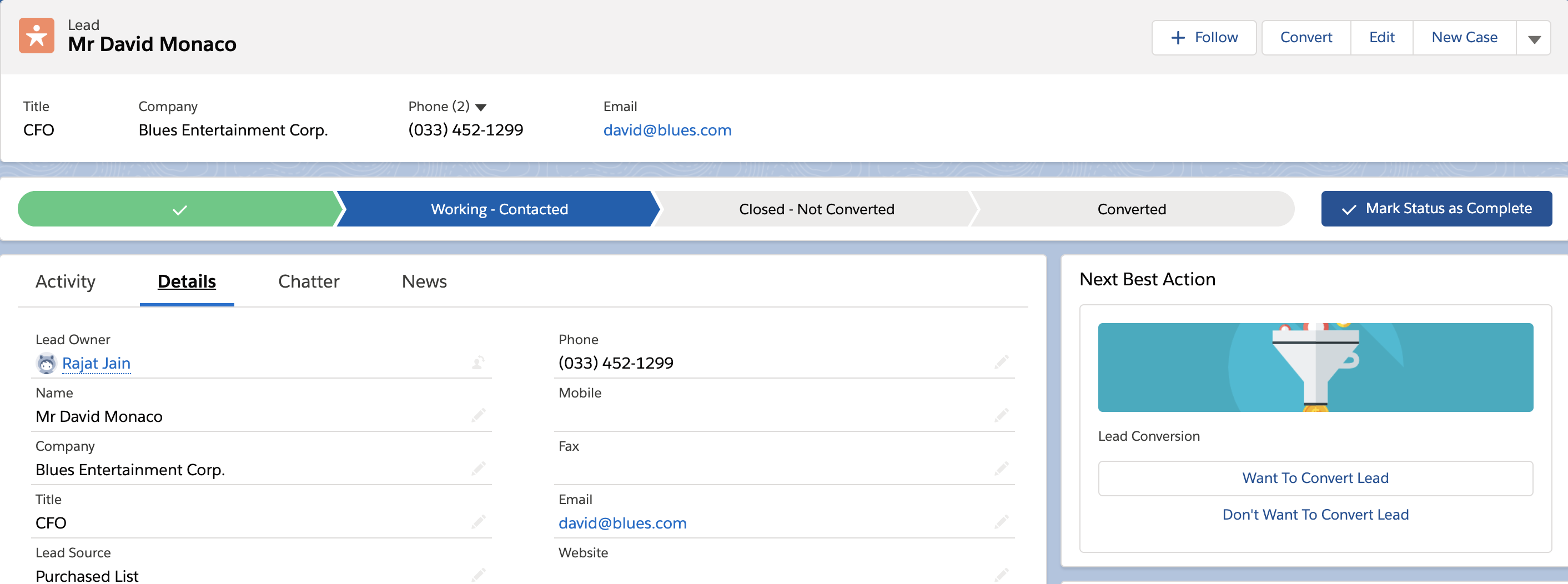
Convert Lead to Opportunity
Let's create a Next best Action which includes
- Flow (To convert the lead)
- Apex Class (Contains the mapping of lead to opportunity fields - Invoked by flow)
- Only one choice can be selected in the interval of 90 days
- It will appear only when lead status is ‘Working - Contacted’
Predict Closed Won Opportunities
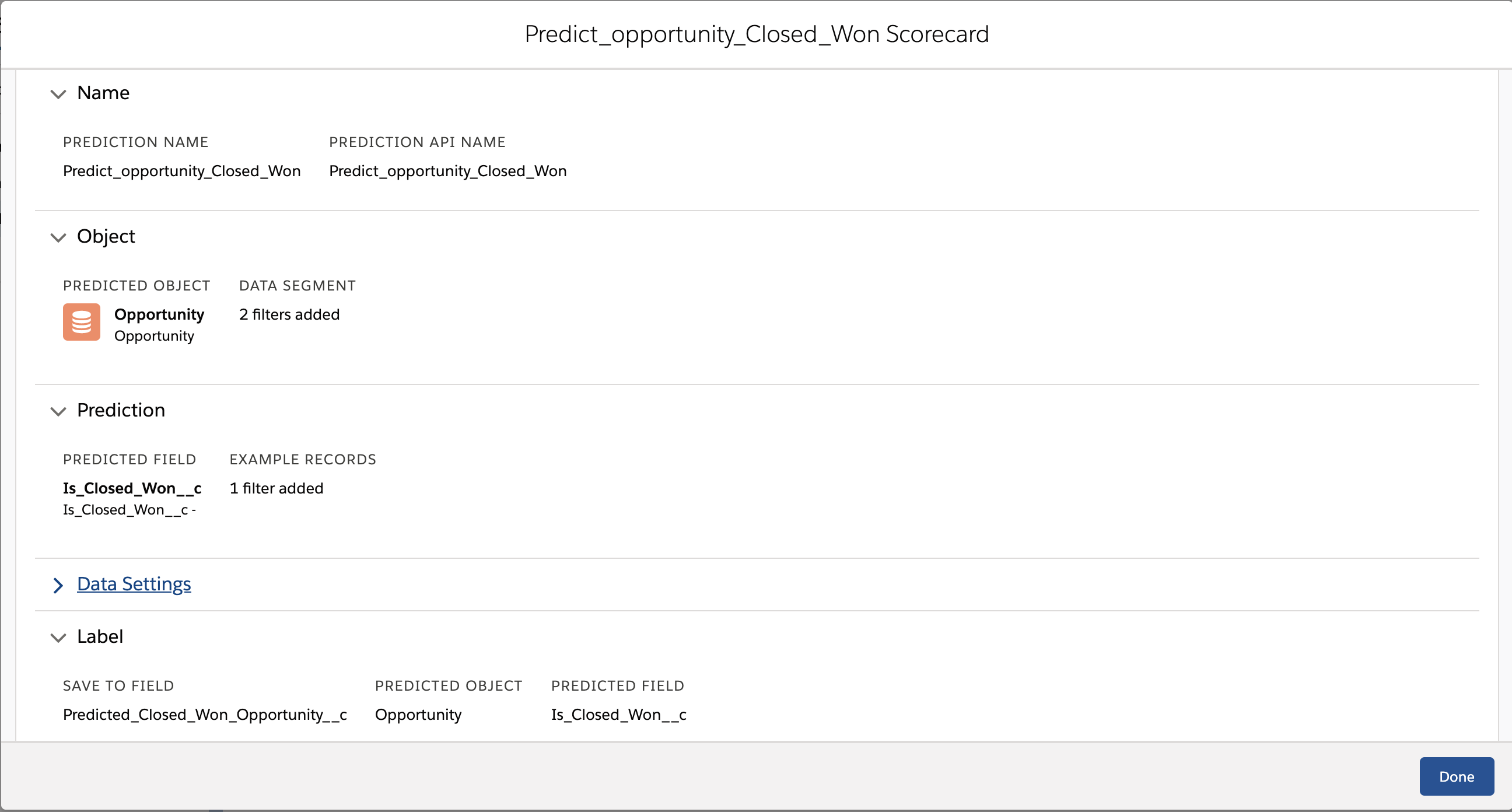
Let's create one Einstein Prediction Builder to predict the 'Closed Won' probability of an ongoing opportunity. I have used a custom formula field which returns true if Opp Stage is ‘Closed Won’ otherwise returns false. The result is saved in another custom field as a checkbox and it helps to create a custom list view that shows all the possible ‘Closed Won’ opportunities after successfully enabling the prediction builder.
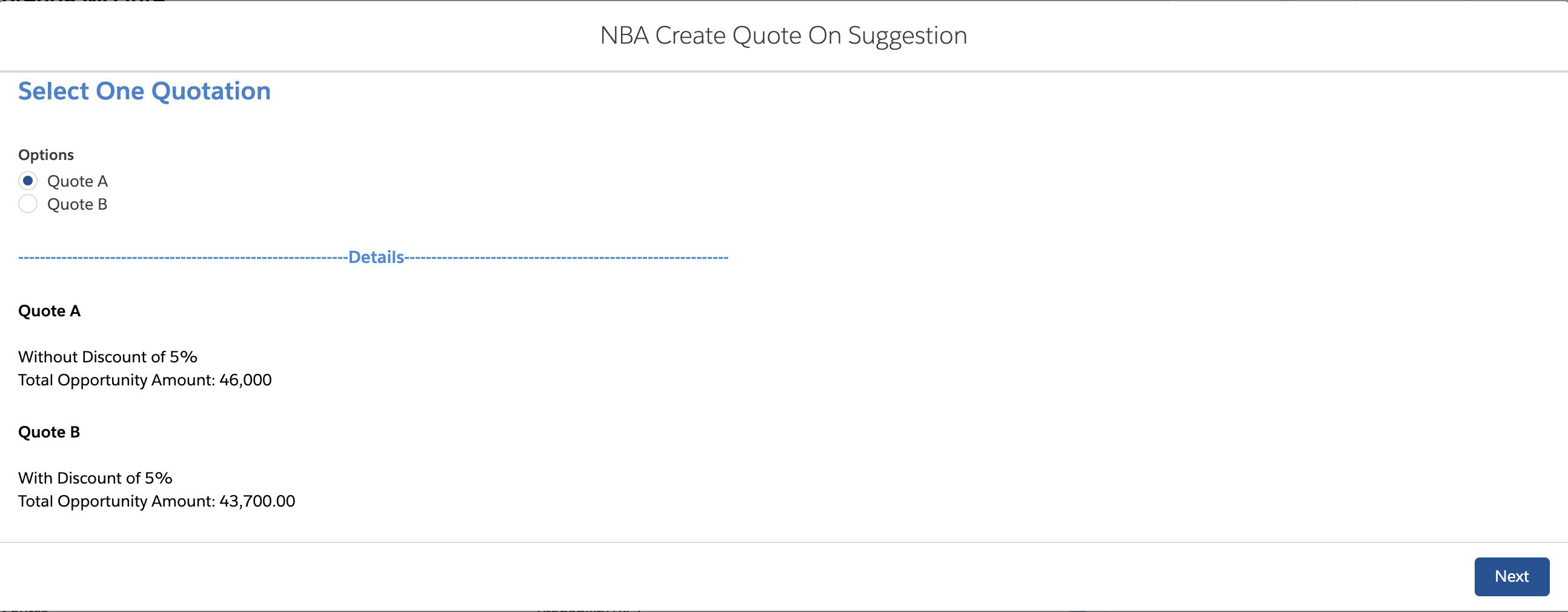
Suggest Quotation based on Opp Line Items
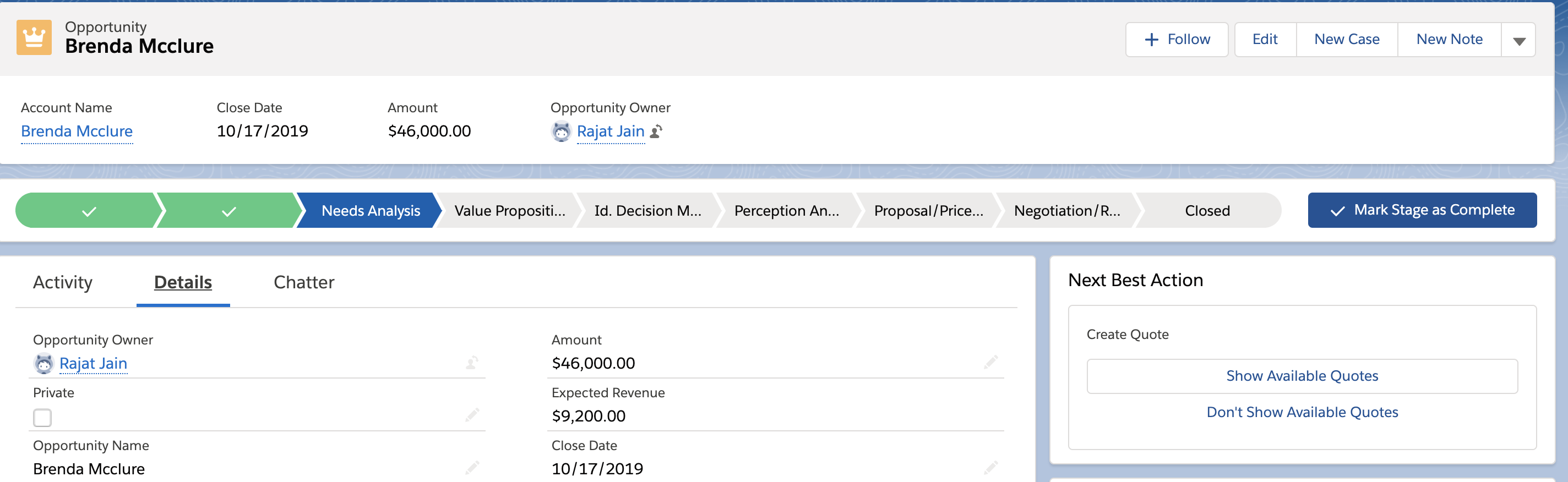
Let's create a Next best Action which includes
- Flow (To create Quotes and Quote Line Items)
- Only one choice can be selected in the interval of 90 days
- It will appear only when the Opportunity stage is ‘Needs Analysis’
Future Enhancements
As per the current business flow, these are some future enhancements that can be done using Salesforce Einstein
- Prediction Builder
- To suggest which of the sales rep is available
- To suggest appointment-free slots, if needed
- Next Best Action
- To send feedback form links
- To send payment links, if any
Feel free to drop your queries, feedback or comments via the ‘contact us’ section of the website, and I will try to respond back to queries with the best of my knowledge.
Useful Links